
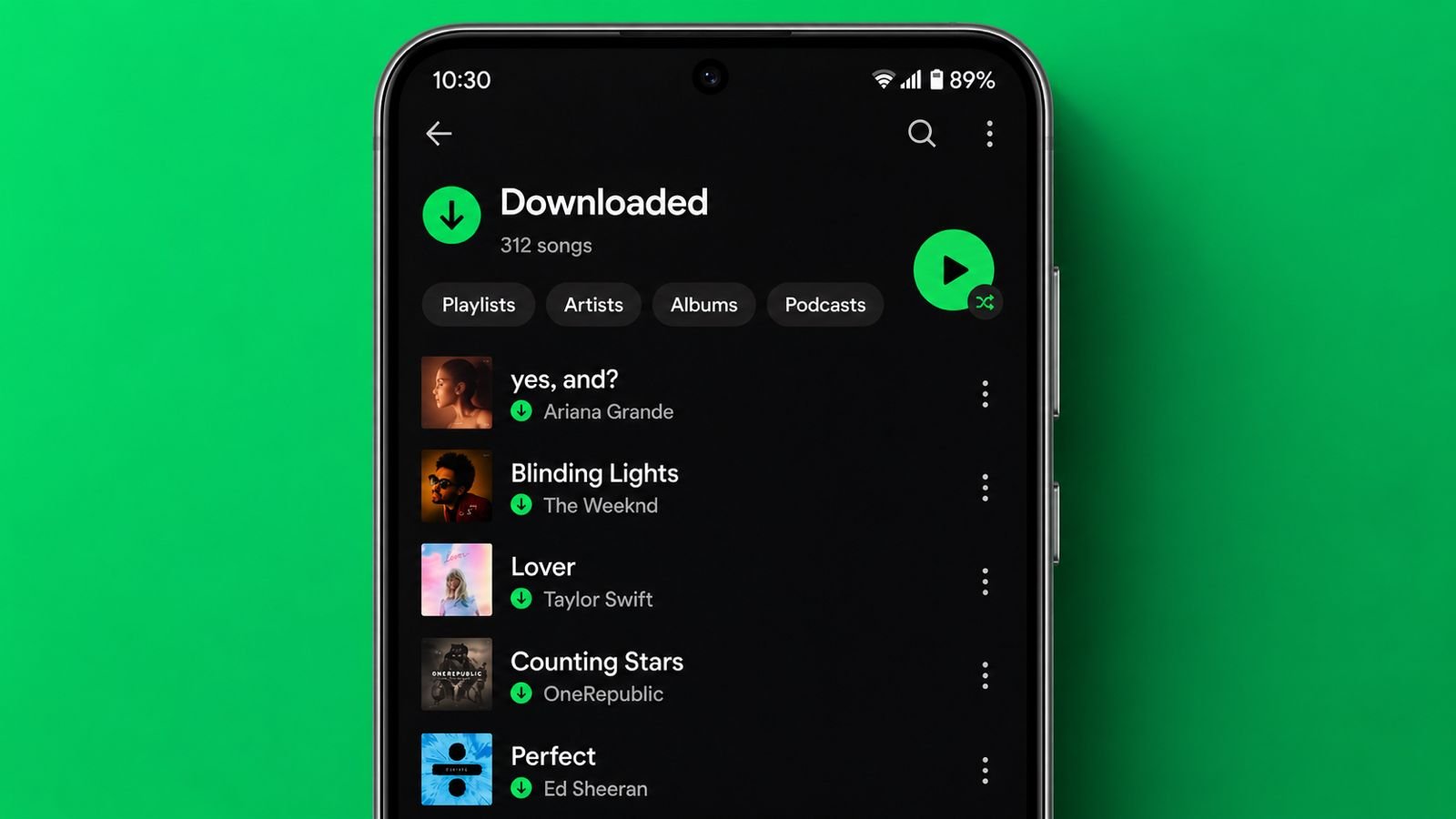

Download Songs on Spotify and enjoy music anywhere. Offline listening helps during travel and on weak networks.
Spotify offers simple downloading features for Premium users. Gerr, I will explain requirements, steps, limits, settings, and important facts clearly.
Download Songs on Spotify: Things You Need First
Spotify is a popular music streaming platform. Millions of users stream songs every day. Many people also prefer offline listening.
Offline playback works without internet connections. Before downloading songs, some requirements apply.
Spotify Premium Is Required
Spotify song downloads need Premium membership. Free users cannot download songs offline.
Premium plans provide offline listening benefits. Spotify offers several Premium plan choices.
Available plans include these options:
- Individual Premium plan
- Student Premium plan
- Family Premium plan
Without Premium, song downloads stay unavailable. However, podcasts remain downloadable for everyone.
Check Song Download Availability
Some songs may not support downloading. Check availability before starting downloads. Look for the download button carefully.
You may also check menu options. If downloading appears, the song qualifies. If unavailable, stream the song online.
Downloads Stay Inside Spotify
Downloaded songs remain inside Spotify only. Files never save directly on devices. You cannot move songs elsewhere.
You cannot store songs separately. Spotify keeps downloads protected internally.
Using Mobile Devices
Downloading songs requires creating a playlist. Spotify does not offer direct downloads. Songs must enter playlists first. After that, download the playlist.
Add Songs Into a Playlist
Follow these easy steps carefully.
- Open the Spotify application first.
- Search for your chosen song.
- Tap the three-dot menu icon.
- Select the Add To Playlist option.
- Choose an existing playlist.
- Create a new playlist instead.
- Enter a suitable playlist name.
- Tap Create to finish.
Songs now enter your playlist. Repeat steps for additional songs. Build the playlist as desired.
Download the Playlist
After creating the playlist, continue.
- Open the Library section.
- Select your saved playlist.
- Find the Download button.
- Tap Download to begin.
Spotify starts downloading immediately. Wait until downloading completes fully. The download indicator becomes green.
Green status confirms successful downloads. Every playlist song becomes available offline.
Download Using Cellular Data
Many users lack Wi-Fi access. Spotify supports cellular downloading too. Enable this option through settings.
Follow these simple steps:
- Open Settings and Privacy.
- Find Download Using Cellular.
- Turn on the toggle.
Downloads can now use mobile data. Check data charges before downloading.
On Desktop
Desktop downloading works very similarly. The process remains simple and quick.
Steps for Desktop Downloads
Follow these instructions carefully.
- Open Spotify on your computer.
- Find a song or album.
- Locate the three-dot menu.
- Click the available options.
- Select the Download feature.
- Wait for downloading completion.
After downloading finishes successfully, listen offline. Internet access becomes unnecessary afterward. Premium membership still remains mandatory. Free users cannot download music.
Mobile and Desktop Similarities
Both platforms offer easy downloads. Both require Premium subscriptions. Both support offline playback features.
Both store downloads inside Spotify. The overall experience stays similar.
Limits and Important Rules
Spotify provides generous download allowances. Premium users can save many tracks. However, certain limits still exist.
Spotify Download Limits
Spotify allows large music libraries. Users can download many songs. Current limits include these numbers:
- 10,000 songs per device
- Up to five devices
- Total possible 50,000 songs
This limit suits most listeners. Even large collections fit comfortably.
Download Expiration Rules
Downloaded songs do not stay forever. Spotify periodically checks account status. Downloads expire after thirty days. Reconnect to the internet before expiration.
Spotify then renews downloaded content. Offline listening continues without problems. Ignoring renewal may stop playback.
Offline Mode Benefits
Spotify recommends Offline Mode usage. This setting improves offline experiences. Enable Offline Mode through settings.
Follow these easy instructions:
- Open Spotify application.
- Tap your profile picture.
- Open Settings and Privacy.
- Scroll through available options.
- Enable Offline Mode.
Spotify now prioritizes downloaded content. Disable the mode when necessary. Streaming resumes after reconnection.
Podcasts and Other Facts
Spotify offers podcast downloading benefits. This feature works differently from songs.
Download Podcasts for Free
Both free and Premium users qualify. Podcast downloads require no subscription. Downloading podcasts remains very easy.
Follow these simple steps:
- Open Spotify application.
- Search for a desired podcast.
- Tap the three-dot menu.
- Choose Download from options.
- Wait for completion.
The podcast becomes available offline. Listen anywhere without internet access. This helps during travel greatly.
Can Spotify Downloads Become MP3 Files?
Many users ask this question. Spotify does not support MP3 downloads. Downloaded songs stay inside Spotify.
Direct MP3 conversion remains unavailable. Spotify uses a different format. The platform uses Ogg Vorbis format.
This format helps maintain audio quality. Spotify protects downloaded content carefully.
Things Every User Should Remember
Keep these important points in mind.
- Premium membership remains necessary.
- Free users cannot download songs.
- Podcasts download on free accounts.
- Downloads stay inside Spotify.
- Songs cannot become MP3 files.
- Downloads expire after thirty days.
- Internet renewal remains necessary.
- Offline Mode improves listening experiences.
Another important limitation exists. Spotify mentions maximum download sizes. A single download supports 100 MB. Large content may need separation.
Can Others Use Downloaded Songs?
Downloaded songs connect to accounts. Other people cannot use them. Account sharing changes nothing here. Users need personal account access.
Spotify verifies account ownership regularly. This protects downloaded content safely.
How to Remove Downloaded Songs
Removing downloads remains very simple. Use playlist management options instead. You can delete entire playlists. You can remove individual songs.
Storage space becomes available again. Downloaded content disappears automatically afterward.
As We Conclude
Download Songs on Spotify for smooth listening. Premium users receive offline music benefits easily. Spotify offers large download limits and simple controls.
Podcasts remain free to download. Follow these steps carefully and enjoy music without internet worries.